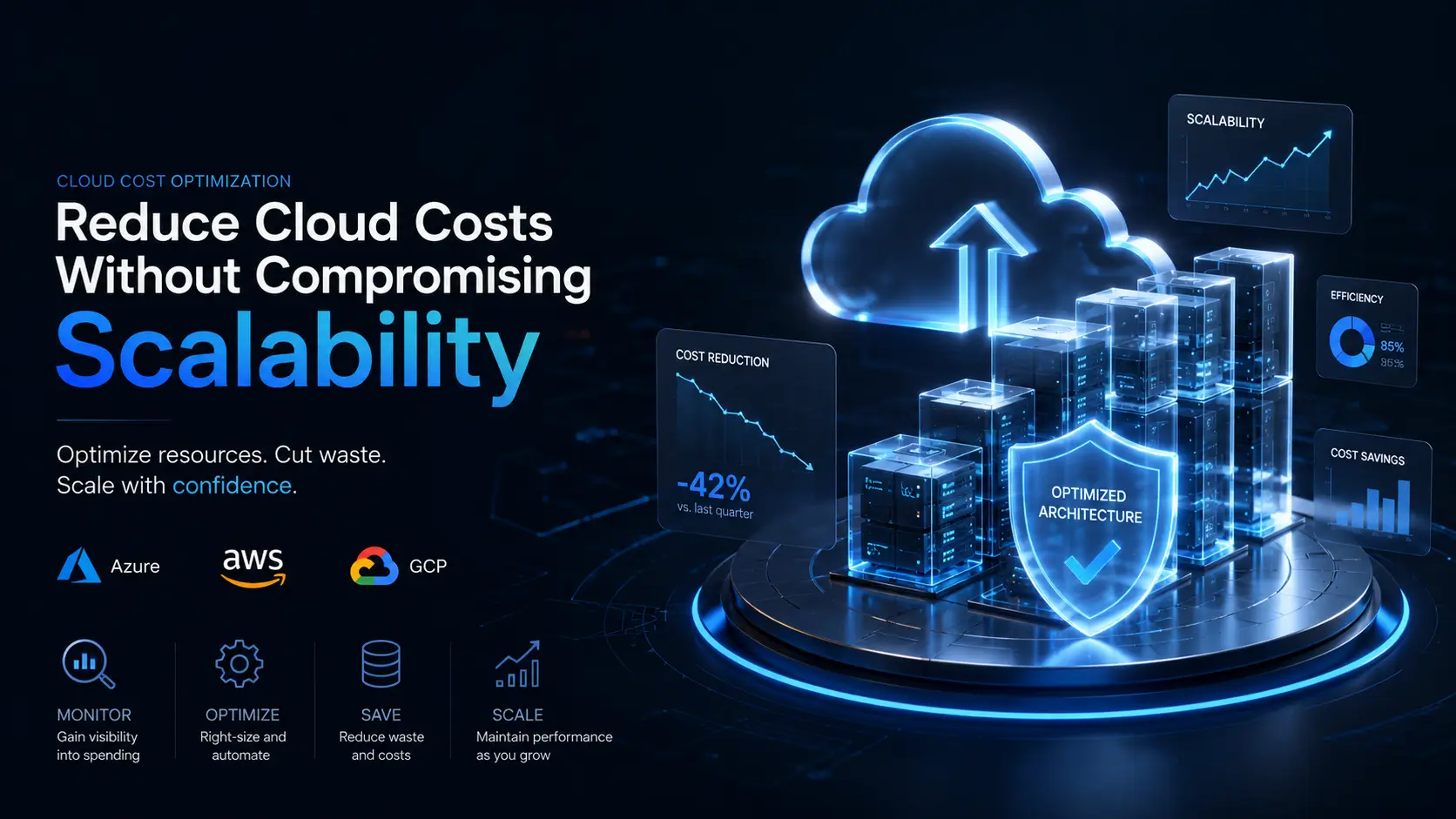
Whether you run workloads on Azure, AWS, or GCP, overspending is a universal challenge. The major providers offer powerful scaling tools, but that flexibility comes at a price, and the cost optimization principles are remarkably similar across all three. Reducing cloud costs doesn't mean compromising scalability; it's about finding balance through optimization techniques that ensure resource efficiency and cost control.
Let's explore how engineering teams can control cloud billing while maintaining the ability to scale workloads seamlessly.
Identify Cloud Cost Culprits: Monitoring and Analysis
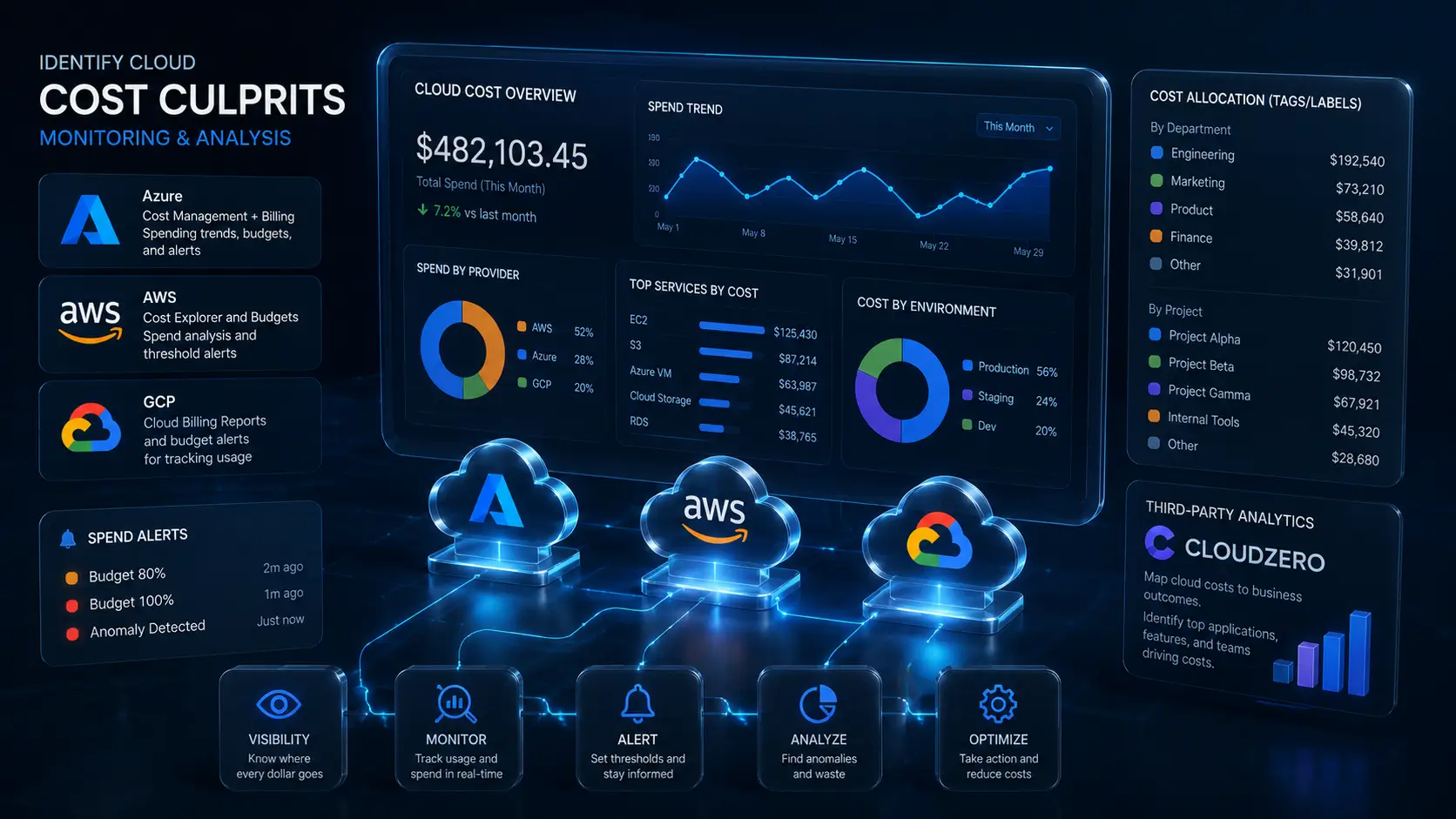
Effective cost management starts with visibility. Without understanding where your cloud budget is being spent, opportunities to optimize are missed. Each provider offers native cost tooling:
- Azure: Cost Management + Billing for spending trends, budgets, and alerts
- AWS: Cost Explorer and Budgets for spend analysis and threshold alerts
- GCP: Cloud Billing Reports and budget alerts for tracking usage
Set spend thresholds and automated alerts so your team stays informed of deviations before they become surprises. For CTOs overseeing multiple resources, tagging and labeling (Resource Tags in Azure, Cost Allocation Tags in AWS, Labels in GCP) is invaluable for categorizing costs by department, project, or environment, helping pinpoint waste.
For a more granular analysis, third-party tools like CloudZero offer analytics that map your cloud costs directly to business outcomes, identifying which applications, features, or teams contribute the most to expenses.
Optimize Resources Without Impacting Performance
Reducing cloud expenses often doesn't require cutting workloads. Instead, focus on optimizing existing resources to maximize their efficiency. Start by:
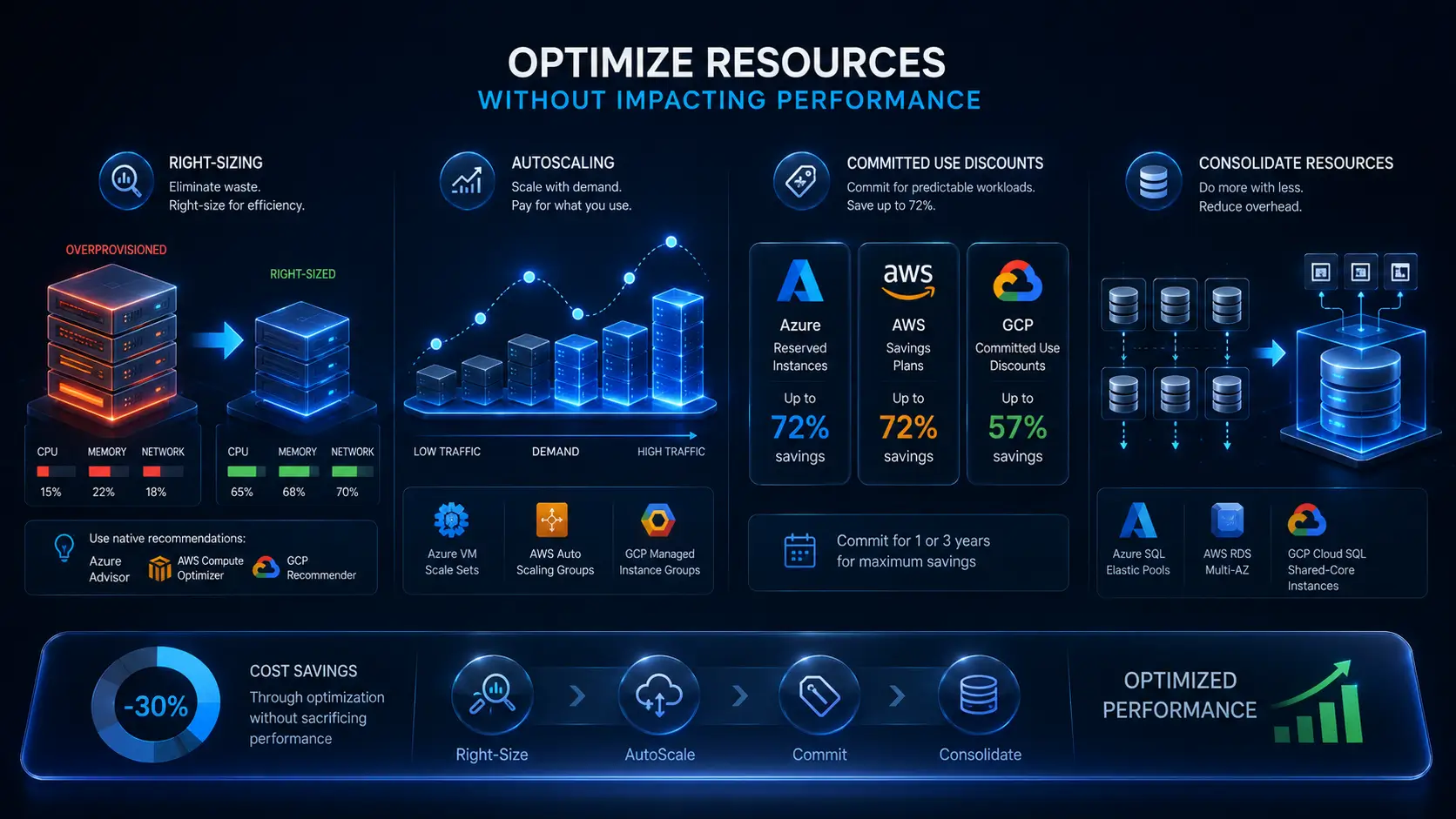
- Right-Sizing Virtual Machines and Instances: Overprovisioned VMs and instances frequently waste budget. Each provider has a recommendations engine to identify underutilized compute: Azure Advisor, AWS Compute Optimizer, and GCP Recommender. These tools analyze CPU, memory, and network utilization over time and suggest downsizing or switching instance families. The key nuance: don't base sizing on a single month. Usage often spikes seasonally, so review at least 60-90 days of metrics and account for growth projections before resizing. For a deeper look at how one team approached this, see our AWS savings case study.
- Autoscaling for Dynamic Workloads: For fluctuating workloads, enable autoscaling (Azure VM Scale Sets, AWS Auto Scaling Groups, GCP Managed Instance Groups). Autoscaling dynamically adjusts resources based on demand, ensuring you only pay for the capacity you use. Proper configuration (setting appropriate minimum/maximum bounds and cooldown periods) prevents over-allocating during low-traffic windows.
- Leverage Committed-Use Discounts: For predictable workloads, committed pricing plans reduce costs dramatically: up to 72% on Azure Reserved Instances (Azure Pricing), up to 72% on AWS Savings Plans, and up to 57% on GCP Committed Use Discounts. CTOs should evaluate workload predictability and commit to one- or three-year terms for long-running services.
- Consolidate Cloud Resources: Avoid fragmentation of similar services. Consolidate databases into fewer instances or centralize storage accounts to minimize overhead. Tools like Azure SQL Elastic Pools, AWS RDS Multi-AZ deployments, and GCP Cloud SQL shared-core instances allow resource sharing across databases to save money while scaling.
Cut Storage and Data Transfer Cost
Inefficient data storage and transfers drain budgets across every cloud provider. Managing storage strategically can substantially reduce long-term costs. Here's how:
- Archive Infrequently Accessed Data: Every major provider offers tiered storage for data you rarely read. Azure Blob Storage has Hot, Cool, and Archive tiers; AWS S3 has Standard, Infrequent Access, and Glacier; GCP Cloud Storage has Standard, Nearline, Coldline, and Archive. The "cool" or "infrequent access" tier is for data accessed less than once per month. It is cheaper to store but comes with slightly higher retrieval fees. The "archive" tier is for data you almost never need (compliance records, old backups). It is significantly cheaper at roughly $0.01/GB per month on Azure and comparable rates on AWS/GCP, but retrieval can take hours. Pair these with lifecycle policies to automatically migrate aging data to cheaper tiers without manual intervention.
- Optimize Egress Costs: Cloud providers charge for data leaving their network. This includes data moving from your cloud to the public internet AND data transferring between regions within the same provider. To reduce these costs: consolidate workloads and their data in a single region wherever possible, use CDN services (Azure CDN, CloudFront, Cloud CDN) to cache content at edge locations closer to end users, and review your architecture for unnecessary cross-region data flows. Each provider's pricing calculator can help estimate egress costs before deploying multi-region architectures.
- Delete Zombies and Snapshots: Stale snapshots and unattached disks can accrue fees unnoticed. Regular audits of your storage should include identifying these "zombie" resources. Use Azure Storage Explorer, AWS Trusted Advisor, or GCP's Recommender to identify and clean up unused resources.
.webp)
CTO Strategy: Improve Governance for Long-Term Savings
While technical optimizations save money, governance ensures the results are sustainable. Without a structured approval process, teams might spin up resources impulsively, leading to cost overruns. Establish clear policies around VM creation, storage allocation, and scaling requests.
Many CTOs implement Infrastructure as Code (IaC) practices with tools like Terraform, Azure Resource Manager, AWS CloudFormation, or GCP Deployment Manager. IaC ensures that all infrastructure is standardized and approved before deployment, reducing costly configuration errors. Additionally, training your engineers to think about cost implications in their workflows and coding practices builds long-term accountability.
If your organization struggles to control cloud spending due to resource inefficiencies or lack of structured governance, Dev Teams On Demand offers expert support in cloud cost optimization. With a proven 3-step framework that includes discovery, assessment, and implementation of scalable solutions, we help CTOs gain the cloud cost visibility they need while integrating experienced engineers into existing teams. Stop searching and start optimizing by visiting Dev Teams On Demand today and let's develop more with less.